Downloads

Home
Programs
User Guides
Downloads
Purchase
Tutorials
FAQ's
Objects
Support
Links
International
Contact

The following download types are available for download. Many items are made available free which is only made possible from the support of the programs available for purchase below:
Programs
SEP Files
Objects
Skins

The following items can also be found on this page:

What's New?
Archived Items
Disclaimer


Programs:

 
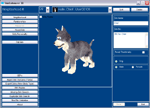
SimEnhancer 3D (Now includes support for all expansions including Making Magic)

Make payments with PayPal - it's fast, free and secure!Version 3.0.7 Build 307 (Dec, 2003) - Character Editor and Enhancement Program for use with The Sims
game with "ANY" current expansions installed. Download the above file to your desktop and double click on it to install. Be sure to read the User Guide for this to get the most from it and to better understand its capabilities. This is a fully functioning download that can be used for a 48 hour trial period. You will need to be purchase it to use it beyond 48 hours. Check the FAQ's or in What's New below for version changes.

Those who have purchased a previous version of "SimEnhancer 3D" can update to this version for free but may be required to enter the previously issued unlock code to use it past the trial.
If you downloaded and installed a Beta version please check the version number before downloading this version since it is identical to the previous Beta release. I.E. It was simply updated from a beta release to a normal release.

SE3DSetup.EXE (See Disclaimer below)
System Requirements:
Operating System: Windows 95, Windows 98, Windows ME, Windows 2000, or Windows XP
Video: The Graphics Card needs to fully support OpenGL. (Most graphics cards can support OpenGL but may need the video drivers updated to work properly)


SE Object Manager Version 1.1.3 (Now includes support for all expansions including Superstar)

Make payments with PayPal - it's fast, free and secure!Version 1.1.3 (May 19, 2003) -
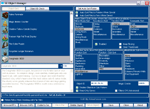
SE Object Manager is an Advanced Object Manager for working with Objects used in your "The Sims™" game. Download the above file to your desktop and double click on it to install. Be sure to read the User Guide for this to get the most from it and to better understand its capabilities. This is a fully functioning download that can be used for a 48 hour trial period. You will need to be purchase it to use it beyond 48 hours. Check the FAQ's or in What's New below for version changes.

Those who have purchased a previous version can update to this version for free but may be required to enter the previously issued unlock code to use it past the trial.

SEObjectMgr_Setup.EXE (See Disclaimer below)
System Requirements:
Operating System: Windows 95, Windows 98, Windows ME, Windows 2000, or Windows XP

A Public Beta of SE Object Manager (Version 1.1.4) can be downloaded from the link below that includes support for the Making Magic expansion. Please note that this version has not been fully tested. You may wish to avoid downloading it until there is a final release.

SEObjectMgr_SetupMMBeta.EXE (Released Oct 31, 2003)(See Disclaimer below)
System Requirements:
Operating System: Windows 95, Windows 98, Windows ME, Windows 2000, or Windows XP


SE NPC MakeOver Kit (Includes support for all released expansions including Making Magic)

Make payments with PayPal - it's fast, free and secure!Version 1.0.0 Bld. 50 (Nov 1, 2003) -
SE NPC MakeOver Kit is an easy to use program for making changes to NPC characters used in your "The Sims™" game. Download the above file to your desktop and double click on it to install. Be sure to read the User Guide for this to get the most from it and to better understand its capabilities. This is a fully functioning download that can be used for a 48 hour trial period. You will need to be purchase it to use it beyond 48 hours.
Check the What's New section below for specific changes in this release.

Those who have already purchased this will be required to enter the previously issued unlock code to use this release past the trial.

SENPCKitSetup.EXE (See Disclaimer below)
System Requirements:
Operating System: Windows 95, Windows 98, Windows ME, Windows 2000, or Windows XP
Video: The Graphics Card needs to fully support OpenGL. (Most graphics cards can support OpenGL but may need the video drivers updated to work properly)


SE Character CMX Validation (Free Dowload)

Version 1.1.2, May. 24, 2002 - Checks CMX files for the correct internal names and for valid SKN pointers and suggests corrections. Note: A basic knowledge of CMX internal file structures may be required to correct some problems found with missing SKN files.

Note: This utility works for installations up to Vacation but does not include all of the paths added for Deluxe or Unleashed. SimEnhancer 3D has a built in Skin Validation Utility that does everything this one does plus validates the other skin files in addition to the CMX file. It is also better at locating files that will match the mesh when the current one listed is missing.
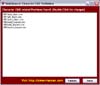
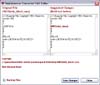
  Special note: The files viewed as having problems in the pictures here are default files installed with Hot Date and again installed with the Vacation installation.

While programming this utility I found that these files were incorrect right from the start on my installations! This also explains why changing into certain pajamas using SimEnhancer results in characters that sleep in their normal clothes! (Or whatever outfit they happen to be wearing when they go to bed)

SECMXValidSetup.EXE (See Disclaimer below)
System Requirements:
Operating System: Windows 95, Windows 98, Windows ME, Windows 2000, or Windows XP


SE Character CMX & SKN Duplicate Check (Free Download)

Version 1.0.3, May. 24, 2002, Identifies Character CMX and SKN files that have duplicate named files elsewhere. (Including Far files)

Note: This utility works for installations up to Vacation but does not include all of the paths added for Deluxe or Unleashed. SimEnhancer 3D has a built in Duplicate Skin Check Utility that does everything this one does plus checks for duplicate textures.

Note: Duplicates are sometimes desired to replace default meshes with custom meshes or for custom animations.

This utility gives you the option to move duplicates to a mirror storage location where they can be restored from in the event removing them causes problems. A basic knowledge of CMX file structures may be helpful when using this utility.

SEDupsChkSetup.EXE
System Requirements:
Operating System: Windows 95, Windows 98, Windows ME, Windows 2000, or Windows XP


BabbagesHDTPatcher (Free Download for Hot Date Users Only)

These skins can be found in the BabbagesHDTs.far file but do not show up in the game. Note: This far file may not exist in your installation. If not then it will let you know that it was not able to locate it.
See Disclaimer below.

BabbagesHDTPatcher.zip
System Requirements:
Operating System: Windows 95, Windows 98, Windows ME, Windows 2000, or Windows XP

Note: You may not host, link directly to, or distribute any programs or files from this site without prior written permission.


SEP Files:

"Rick SEP"

SimEnhancer and SimEnhancer 3D both include SEP Importing and Exporting. SEP stands for SimEnhancer Profile and they allow you to save a characters profile to a file which can then be imported either back into your game to replace any character of the same type or even can be shared with others. The Rick SEP here is an approximate profile of me which you can download and import into your game.

The Rick SEP Profile.


"SimEnhancer Pets from the Past"

"SimEnhancer Pets from the Past" are SEP files of some of the pets I have had. I have added two SEP files of a couple of the Siberian Huskies I have had in the past. These will only work if Sims Unleashed is installed and SimEnhancer 3D must be used for importing the SEP files of Pets.

Here are the "SimEnhancer Pets from the Past" added.
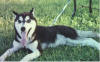

Click here to download the SEP file for Chief
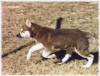

Click here to download the SEP file for Red

For details about pet SEP files see the SEP's page in the SimEnhancer 3D user guide.



"Freed Characters" Just for fun, I freed a few characters. Then I created SEP's of them


Mime Mike SEP (Freed from House Party)



Clown Corey
Clown Corey (Happy Face) SEP (Freed from Living Large)



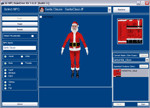
Santa Clause
Santa Clause (XMAS Year Round) SEP (Freed from Christmas2000.far)
 

Note: To use these you will need Version 1.5 or higher of SimEnhancer or SimEnhancer 3D
to import the SEP files to replace characters in your neighborhood.
Some outfits listed in these SEP's require Hot Date or Vacation Expansion Packs
Note: You may not host, link directly to, or distribute any programs or files from this site without prior written permission.


Objects:

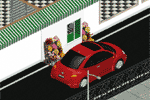
Drive Thru Window Sets


Red Fast Food Drive Thru Window Set


Green Fast Food Drive Thru Window Set
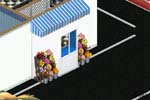


Blue Fast Food Drive Thru Window Set
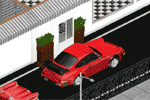


Gray Fast Food Drive Thru Window Set
 

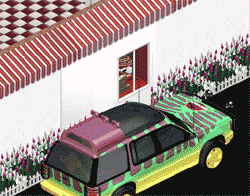
These sets include the drive thru window and a matching awning.
Note: These are cloned and edited Bay Windows, They do not have any special interactions.
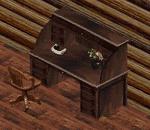


Roll Top Desk


Straight from the home of SimEnhancer....
The SE Roll Top Desk
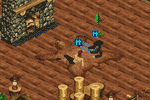


Brown Bear Rug


Play the night away with a Brown Bear Rug from SE Trading Co.
(Vacation Expansion Required)
(Created by merging the Hot Date Brown Bear Rug with the Vacation Polar Bear Rug)
The Brown Bear Rug
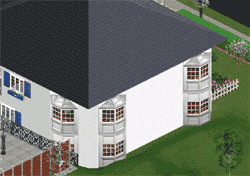


2 Story Bay Window Set - Hot Date Required (Note: Untested with Pre-patched Hot Date)


SimEnhancer brings you a new bay window set designed for 1 and 2 story buildings.
Download Top Floor Bay Window (Also for single story buildings)
Download Bottom Floor Bay Window (For use with window above)
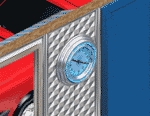


Vintage Neon Wall Clock Recolor


Neon Wall Clock

Normally I will only put unique objects up but I wanted a clock to match the rest of the furniture in a particular lot I had.
This was the result.
Neon Wall Clock



Vintage Coca-Cola Button


Vintage Coca-Cola Button
This sign fits my vintage (Back-In-Time) restaurant theme.
Vintage Coca-Cola Button
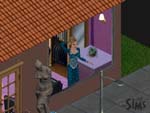


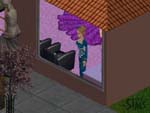
Window Mannequin


Window Mannequin Left View
Modeling a Glimmering Teal Formal Dress Designed by Seamer seammerzz@yahoo.com 


Window Mannequin Right View
The Glimmering Teal Formal Dress modeled here can be obtained from http://www.8thdeadlysim.com
(Subscription required)

Download The Window Mannequin


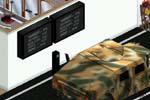
Fast Food Menu - Hot Date Required


Fast Food Menu Light Off

Fast Food Menu Light On

Download the Fast Food Menu
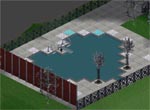


Fast Food Speaker - Hot Date Required


Download Fast Food Speaker


In Ground Pool Lighting - Hot Date Required


Pool Ground Lighting for those evening dips
Purple Pool Ground Lights


Pool Ground Lighting for those evening dips
Blue Pool Ground Lights
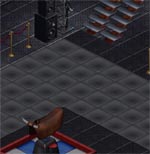


Club Floor Lighting - Hot Date Required


Club Floor Lights in Purple and Blue to match the Black Club Floor - Lights Off
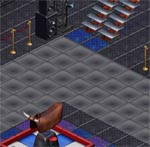

Club Floor Lights in Purple and Blue to match the Black Club Floor - Lights On

Download Purple Club Floor Lights
Download Blue Club Floor Lights
Note: You may not host, link directly to, or distribute any programs or files from this site without prior written permission.
 

All objects are clones or variations of clones (modified copies) of Maxis original objects. I therefore am not claiming any ownership or copyright on them. The only thing I ask is that if you display or use them on your site that you provide a link back to http://simenhancer.com recognizing me for cloning and editing the original.


Skins:


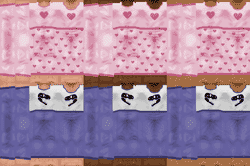
Missing Child Pajamas


Child Pjs found in the Textures.far file for Child Sims but with incorrect names that will not show up in the game.
Blue Dinosaur set for Boys and a Pink Heart set for Girls.
These will replace the child pjs if they are using the game defaults. (The green and blue adult sets)

Missing Child Pajamas

Note: These files are for expansions up to and including Hot Date. If you have Vacation, Unleashed, or Superstar installed they will be ignored by the game.

Note: You may not host, link directly to, or distribute any programs or files from this site without prior written permission.


What's New? (Check here for the latest updates)


SE NPC MakeOver Kit officially released. Ver. 1.0.0 - Nov 1, 2003

This release includes support for the new Making Magic expansion. This is the official release of SE NPC MakeOver Kit. Anyone that has downloaded a Beta release and installed it should uninstall the previous release and install this release which includes all of the updates made to the beta releases including the addition of support for the Making Magic expansion.


SimEnhancer 3D Public Beta Ver. 3.0.7 - Oct 31, 2003

This beta includes support for the new Making Magic expansion. Please note that this version has not yet been fully tested. Because of this you may wish to delay installing this version until a more thorough testing can be completed. If you do download this version and find any problems please send me an email right away so I can look into it.


SE Object Manager Public Beta Ver. 1.1.4 - Oct 30, 2003

This beta includes support for the new Making Magic expansion. In addition there is a fix for the name and description not working correctly in languages other than USEnglish. Please note that this version has not yet been fully tested. Because of this you may wish to delay installing this version until a more thorough testing can be completed. If you do download this version and find any problems please send me an email right away so I can look into it.

Note: a second release was made Oct. 30 (Build 263) to correct an issue that occurred when the game language did not match the languages available in SEOM. (Portions of text were missing and objects could not be saved)

Note: a third release was made Oct. 31 (Build 264) to change the Food Function Sub-Sort to display Magic/Food as this field will display either in the game depending upon the expansion installed.


SE NPC MakeOver Kit Release Candidate 1.0.0 Bld. 44 - Oct 22, 2003

Since this is pre-release software I have not posted information regarding changes made in each Beta release. It is assumed that anyone that has downloaded the Beta even if they have purchased it will return to download the official released version. It also helps when people must stumble through looking for anything new since it will help identify confusing things in the program. Nevertheless this particular release needs a little extra attention as it adds the ability to choose any skins with custom names from any valid skin location. This feature is sort of hidden though as it requires right clicking each of the lists for setting the skins. (Current Mesh and Selected Texture) Most of the rest of the changes over the last couple of Beta's were all code changes to correct the way it was reading data or to make things easier to use. This release is the last chance to report any problems before an official released version. If none are reported within a day or two then this release will be the official release.


SimEnhancer 3D 3.0.6 Bld. 287 Released Oct 9, 2003

Updates to SimEnhancer 3D include the following.

1: Corrected an issue where persons using early European versions of the game (Mostly German I believe) were unable to see characters in the 3D viewport. If Unleashed was installed then pets could be seen but never adults or children. Under these conditions SE3D was not finding the skeleton required to display the characters. This has been corrected so it will find it and display them now.

2: A change to the code determining between children and adults was made program wide so that characters set up as teens with an age of 18 will be seen as adults instead of as children when the data is loaded for jobs and skins. I still have reservations in allowing anything other than 9 or 27 to be used as the age since that is what the game is set up for but this should allow the characters to be used even if they have a different age.

3: In a few places where I noticed the code could be improved I have done so. In these cases it will slightly improve the performance though it is doubtful that it will be noticeable. (These little improvements do add up over time though)


SimEnhancer 3D 3.0.6 Bld. 279 Released Oct 5, 2003

"Feature Update"
Updates to SimEnhancer 3D include the following.

1: Added delete functions to allow deleting bmp and cmx files from SimEnhancer 3D that are not in far files. To delete cmx files you must first delete any bmp files listed with the cmx in the selected skin tone. (You actually should first check all skin tones to be sure all bmp files are first removed that are used with a particular cmx file) Always be sure to run the Skin Validation and Missing Skin Check in every neighborhood you play after deleting any skin files. This is absolutely necessary as it is actually possible for a bmp file to be assigned as the default inside a skn file. If a problem is found you can restore the files from your recycle bin as long as you have not emptied it yet.

2: Corrected an issue with assigning the right closed hand. This will only effect games using older expansions that were still recognizing hands assigned to the character. (If Unleashed or Superstar are installed it no longer recognizes hands assigned to the character)

3: Corrected a minor issue when importing skinny nude textures that was not always allowing them to be imported.

4: Modified a routine that should keep it from choosing a different texture than what is already assigned when both textures have similar names.
 

SimEnhancer 3D 3.0.6 Released Sep 11, 2003

"Big Feature Update"
Updates to SimEnhancer 3D include the following.

1: Added new feature to allow moving characters into any normal house. This is found in the form of a new drop down list in the House/Job window where a list of families that live in normal homes are listed. Families such as Townies and Tourists will not be listed since they do not live in a normal house. See the SE3D User Guide for specific details regarding this feature.

2: Fame levels changed to reflect more accurately the way the game sets and uses them.

3: Updated the Neighborhood screen to correct an issue where deleting the current neighborhood was not updating the rest of the data to reflect the change. I.E. It was not reloading neighborhood one.

4: Several minor cosmetic issues were also corrected.
 

SimEnhancer 3D 3.0.5 Released Aug 5, 2003

Updates to SimEnhancer 3D include the following.

1: Superstar Fame levels added.

2: Support for High Fashion skins added.

3: Made a change to the way images are being read that may correct an issue that has occasionally been reported where images do not always display.

4: Corrected an issue where skin bmp files that are not square would cause an error.

5: Added support for all expansion levels.

6: Modified character thumbnails so they are expansion specific. This will correct the odd looking thumbnail for people using both Vacation and Superstar expansions.

7: Skin import, export, and CMX Builder modified to import/export nude skins for use with Unleashed and Superstar expansions. (Version 3.0.3 and before displayed skins that these two expansions now ignore)

8: Nude skins modified for Unleashed and Superstar to only display skins these expansions actually recognize.

9: Backup/Restore modified to only include data common to all neighborhoods to avoid both long backup/restore times and to avoid using large amounts of disk space unnecessarily. (Neighborhood one contains a large amount of data that is not common to all neighborhoods)

10: Added the ability to modify Family Names. (This will effect all characters using the same family data. For instance all Townies, Anybody's, Etc. will take the same name since they share the same family data)

11: SEPs updated to include export/import of High Fashion skin data and Fame levels.

12: Skin Validation updated to include High Fashion skins.


SE Object Manager 1.1.3 Released May 19, 2003

Updates to SE Object Manager 1.1.3 include the following.

1: Superstar Studio Sort locations added.

2: Duplicate Object ID check updated to include the Superstar objects when checking for duplicates.

3: Made a change to the way images are being read that may correct an issue that has occasionally been reported where images do not always display. (This is not related to the red x which indicates that there is not a thumbnail bmp in the file)


Archived Items:

 
The following is being made available for a short time for those that have previously purchased SimEnhancer (Not SimEnhancer 3D) in the event they have lost their original download. This program is no longer available for purchase so it should not be downloaded unless you previously purchased it.
SimEnhancer 1.6
Version 1.6.3, AUG 22, 2002 -
This program is now obsolete and is no longer available for purchase. SimEnhancer 3D above includes all of the functionality of this program and now supports all expansions currently available.

System Requirements:
Operating System: Windows 95, Windows 98, Windows ME, Windows 2000, or Windows XP

Check the FAQ's for version changes. For users that do NOT have Hot Date or Vacation Expansions installed please review the FAQ's for special requirements for changing Formals and Swimwear.

SESetupIntl.EXE Language Package Included (See Disclaimer below) 854 KB

This download includes the following language translations:

Dutch
French
German
Italian
Portuguese
Spanish
Swedish
USEnglish

Note: You may not host, link directly to, or distribute any programs or files from this site without prior written permission.


Disclaimer:

Please Note: Use of any of these programs or objects is at your own risk!!! They are not endorsed by Maxis / EA and will probably void any warranty they provide. Neither SimEnhancer nor any other downloads available here are affiliated in any way with Maxis or Electronic Arts. Any support questions related to any downloads from here should be directed to Support@SimEnhancer.com. Maxis/EA will not answer them.
 

That said, I have done everything I can think of to ensure that SimEnhancer will enhance your Simming experience. Hopefully I have accomplished that. If not send me an email and tell me why. Suggestions@SimEnhancer.com Depending on the suggestion it may find its way into the next version or an upgrade to this version.
 
The Sims, Maxis, & Electronic Arts are trademarks or registered trademarks of Electronic Arts Inc.

Copyright © 2004 Rick Halle